

The Kappino app
For owners and managers, on the App Store and Google Play. Your restaurant's key screens on your phone.
Kappino goes where you go. Use the Kappino app on iPhone and Android to check the dashboard, follow orders and ask Pino AI, give your delivery riders the Kappino Rider app, and open the full web app in any browser.
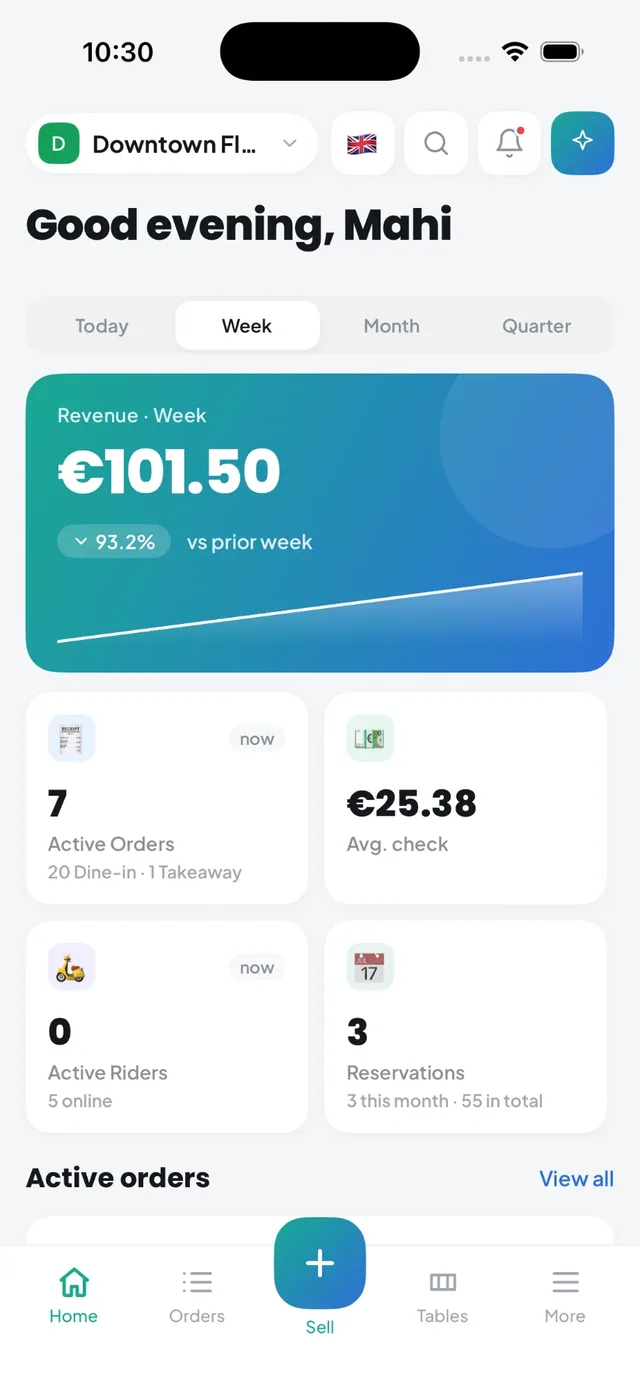
Owners are rarely at the pass all day. You might be at the market, at a second branch or at home, and still need to know how service is going. Kappino gives every role the right screen, all working on the same live data.
For owners and managers, on the App Store and Google Play. Your restaurant's key screens on your phone.
For your delivery riders, on the App Store and Google Play. Assigned deliveries, location sharing, proof of delivery and chat with the restaurant.
The complete system in a browser on iPad, Android tablets, Windows PCs and Macs, for the POS, kitchen display and back office.
Everything you see in the app follows your role and branch access, so a manager sees their own location while an owner can look across the whole group.
Revenue, active orders, table occupancy and alerts for the period you choose.
Follow orders as they move through service and see which tables are free, seated or reserved.
Check your dishes, categories and prices without going back to the office.
Ask a question in plain language, such as today's sales or what is low on stock, and get the answer in seconds.
Review sales and performance figures wherever you are.
Switch between your branches, or keep an eye on all of them.
Keep track of the conversations and orders coming in through the WhatsApp AI Order Taker.
When you add a rider in Kappino, they receive their sign-in details for the Kappino Rider app. From then on, deliveries assigned in Kappino appear on the rider's phone, and your team can follow riders on the live map.
Riders update each order as they go, so the restaurant no longer has to phone a rider to ask where an order is, and a photo at the door settles any question about whether it arrived.
Kappino runs in the browser on iPad, Android tablets, Windows PCs and Macs, so you can use the hardware you already own for the POS, the kitchen display, reservations and the back office. There is nothing to install: sign in and start working. Changes made on one device appear on the others, so the kitchen, the floor and the office stay in step.
A desktop app with offline mode is in development.
Kappino app on the App Store: https://apps.apple.com/pk/app/kappino/id6795206630
Kappino app on Google Play: https://play.google.com/store/apps/details?id=com.kappino.admin
Kappino Rider app on the App Store: https://apps.apple.com/pk/app/kappino-rider/id6786263678
Kappino Rider app on Google Play: https://play.google.com/store/apps/details?id=com.kappino.rider
POS, orders, kitchen flow, inventory, reporting and AI tools built for modern restaurant operations.