

Revenue
Total sales for the period, with a chip that compares it with the previous period so you can see at a glance whether you are up or down.
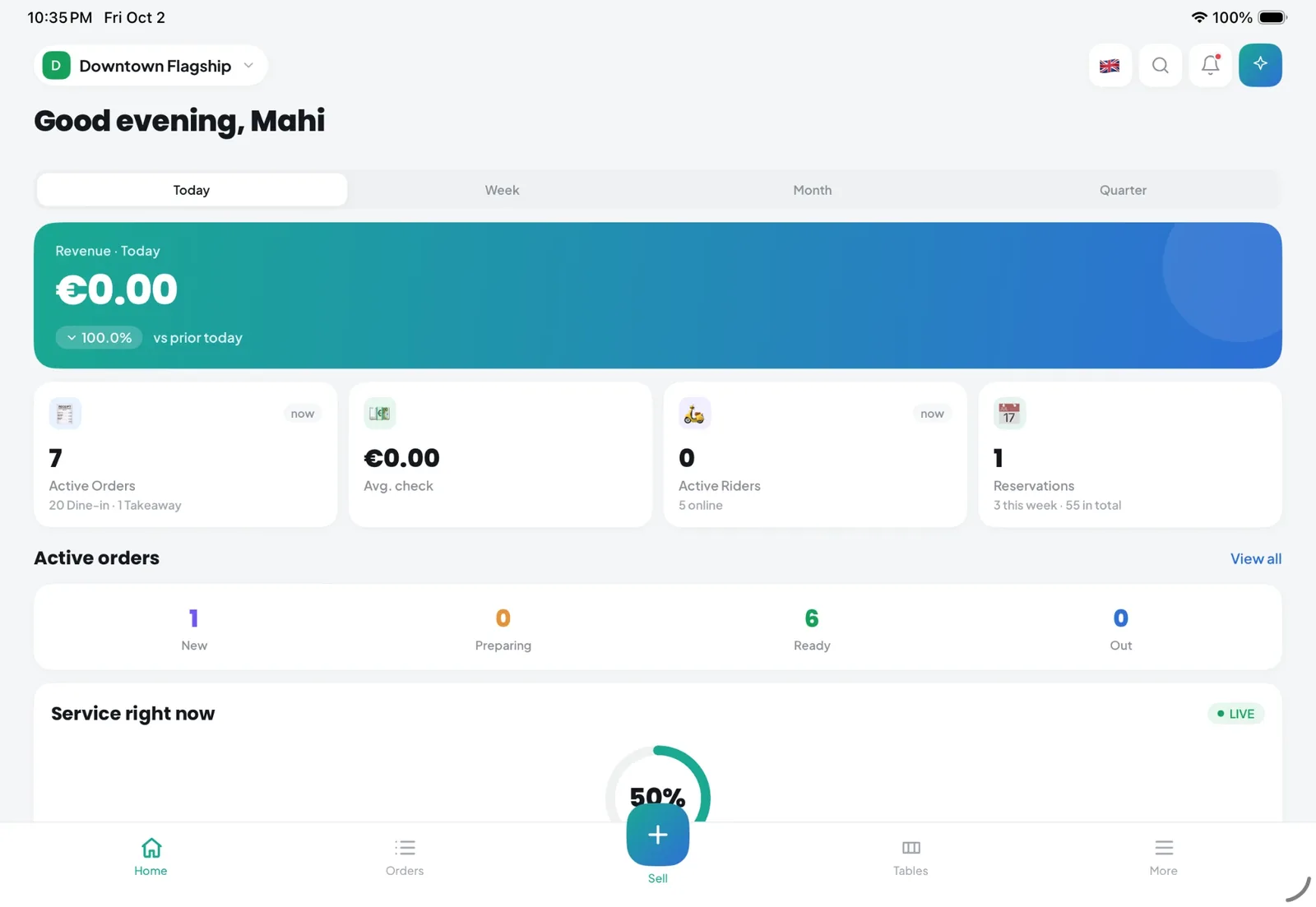
The Kappino dashboard is the first screen your managers see: revenue, live orders, tables, reservations and alerts on one page, updated as service happens.
During service, nobody has time to open five reports. Managers need to know how the day is going, which orders are moving, how full the room is and what needs attention right now.
The Kappino dashboard answers those questions on a single screen. It pulls together data from the POS, orders, tables, reservations, inventory and riders, so everything you see is already connected and nothing has to be copied across.
Use the period switcher to move between Today, Week, Month and Quarter. The KPI row updates instantly.
Total sales for the period, with a chip that compares it with the previous period so you can see at a glance whether you are up or down.
How many orders are open right now across your channels.
What each guest spends on average, a quick signal for menu and pricing decisions.
How many delivery riders are currently on the road.
A table of current orders with order number, table, items, status and total. Click View all to jump to the full orders board.
An occupancy donut under a Live badge shows how full the room is as a percentage and as tables used out of total. Below it you see seated, reserved and free tables, pending reservations and the number of covers in house.
The upcoming bookings for today, so front of house can prepare tables and greet guests by name. View all opens the reservations screen.
A photo strip of the week's top sellers, useful for briefing staff and checking that best sellers are in stock.
The Alerts & tasks panel collects the things a manager should act on, so problems are spotted before guests notice them. Press Refresh to check for new items at any time.
Check revenue against the previous period and the week's top sellers in a few seconds, whether you are in the restaurant or not.
Watch Service right now and Next reservations to pace seating, balance sections and get ready for the next arrivals.
Act on low-stock alerts before a dish has to come off the menu in the middle of service.
See how many riders are active and which orders are still open before taking on more deliveries.
If you run more than one location, the branch switcher in the sidebar sets the scope for the whole dashboard. Choose a single branch to manage today's service, or All branches to see the group at once. Each user only sees the branches they have been given access to.
Need something specific? Press ⌘K to search pages, orders, reservations, menu items, customers and stock from the top bar, or ⌘/ to open Pino AI and ask a question in plain language. The dashboard is also in the Kappino app, so you can check service from your phone.
POS, orders, kitchen flow, inventory, reporting and AI tools built for modern restaurant operations.