

Photos
JPG, PNG and HEIC photos of paper invoices and delivery notes, read with OCR.
Upload a supplier invoice to Kappino AI Inventory, whether it is a photo, a PDF, a spreadsheet or an Italian FatturaPA e-invoice, and check the result in a review queue. When you approve it, your stock is updated and the purchase is recorded in Expenses.
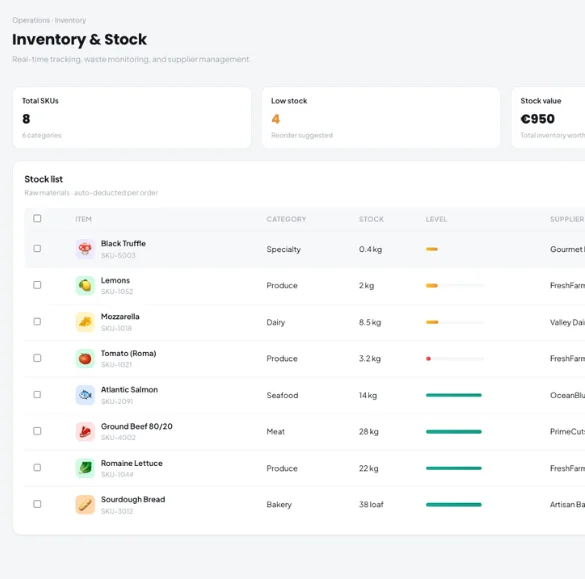
Every delivery comes with paperwork. Typing each line into stock software is slow, easy to get wrong and usually left until the end of a long shift. When it slips, stock levels drift, food cost figures stop being reliable and nobody is sure what was actually paid for. In Italy, suppliers already send structured e-invoices, yet many restaurants still retype them by hand.
Kappino reads the invoice for you and lets a person check the result before anything changes. The scanner lives in AI Inventory, with tabs for Scanner, Review Queue, Documents, Analytics, Forecast and Settings.
Drag and drop a file, or open your device camera from the Scanner. Files can be up to 12 MB.
JPG, PNG and HEIC photos of paper invoices and delivery notes, read with OCR.
Invoices emailed as PDF, including scanned documents.
Invoices and delivery lists sent as XLSX or CSV files.
Italian e-invoices in FPR12 and FPA12 format, including batch files and digitally signed .p7m files. They are labelled "Italian e-invoice (XML)" and read directly from the supplier's structured data, so nothing is guessed and the figures are exact.
Nothing reaches your stock without a review. Each scan waits in the Review Queue with a confidence level and a "why?" explanation for anything Kappino is unsure about.
Line totals are reconciled against the invoice totals, and failed calculations are flagged, so a missing or misread line stands out.
Correct quantities, costs or item matches, add an expiry date or skip a line you don't want in stock.
When it is unclear, Kappino asks how many units are in one pack. It remembers each supplier's article codes so later deliveries match automatically.
Approve when the invoice looks right. Rejecting leaves your inventory unchanged.
Kappino warns you when an identical file was uploaded before or a possible duplicate invoice is detected, with a link to view the existing import.
Credit notes are not imported, so returned goods are never added to stock.
Re-read an invoice, compare the result with what was imported and add any stock that was missed.
For suppliers you trust, you can turn on auto-import for high-confidence scans with no uncertain lines. It is off by default.
Each approved line is added to stock and matched to an existing item or created as a new one. The invoice is saved under Documents with its supplier, number, date and totals, and the purchase is recorded in Restaurant Expenses, so your stock and your costs come from the same document.
Approved invoices also feed AI Inventory analytics, including price history per item, cost increases, COGS % and a restock forecast.
POS, orders, kitchen flow, inventory, reporting and AI tools built for modern restaurant operations.