

Weekly schedule by area
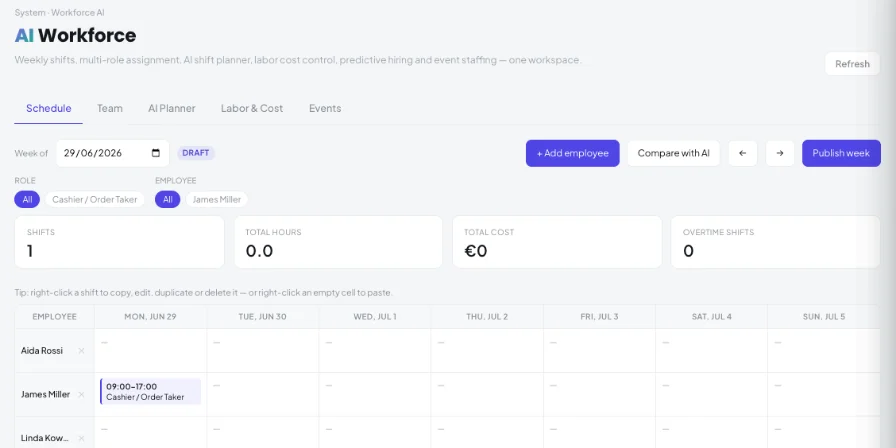
Plan Kitchen, Bar, Tables and more. Drag shifts, copy and paste, reuse last week or apply recurring templates.
Build your weekly schedule by area, let AI propose a plan from forecast demand and staff availability, then publish it to your team — with labour cost always in view.
Rotas are one of the biggest weekly jobs in a restaurant — and one of the easiest to get wrong.
Plan Kitchen, Bar, Tables and more. Drag shifts, copy and paste, reuse last week or apply recurring templates.
Run a demand forecast from the past 28 days of orders, then generate a plan that respects roles and availability.
See your schedule next to the AI plan — hours, cost and shifts — before you choose.
Scheduled hours and cost, labour as a % of sales against your target, overtime alerts and a staffing heatmap that shows where you are short or over-staffed.
See labour cost for the next four weeks from your published and draft shifts, and a hiring-need forecast by area that compares demand hours with your team’s capacity.
A rule-based turnover-risk list highlights team members who may be at risk of leaving, so you can act early.
Roles, areas, availability, hourly or monthly pay, documents and leave requests to approve or reject.
Create banquets and catering events with the roles they need, see the staffing gap and fill it with “Auto-staff”.
Download the schedule as PDF or CSV and your team and labour data as CSV. Staff get the published week by email, plus a reminder of tomorrow’s shifts.
Kappino looks at recent orders to estimate how busy each day and hour will be. Holidays can be set to busier — or closed.
The AI assigns only people who hold the right role and are available. The plan is fully reversible.
Edit anything, then publish the week — your team receives it by email. Download as PDF or CSV.
POS, orders, kitchen flow, inventory, reporting and AI tools built for modern restaurant operations.