

Wasted Orders
Record an entire wasted order with its order number, service type, item count, waste reason, staff member, date and total value. Expand the order to review affected items, quantities, prices, subtotal, tax and total.
Track wasted orders, individual wasted items and inventory losses in one focused workflow. Kappino helps restaurant teams record waste, capture the reason and value of the loss, and keep waste records organized.
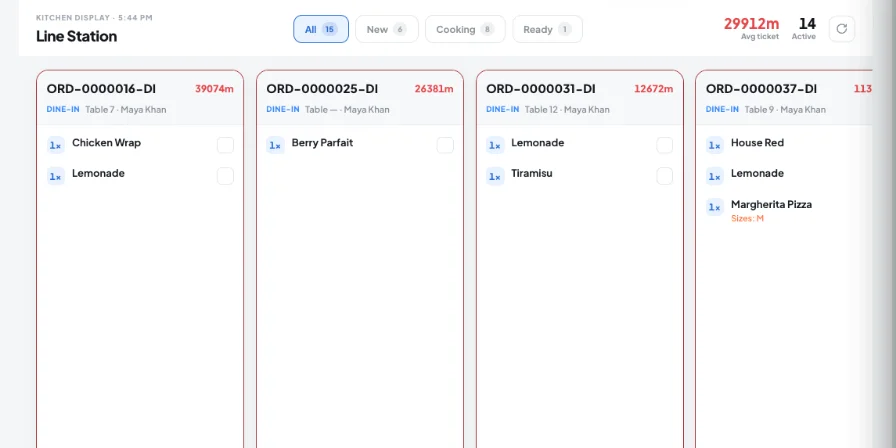
Restaurant waste management software helps teams record food and inventory losses, understand why waste occurred, and keep the quantity and value of each loss organized. Kappino provides separate workflows for wasted orders, individual wasted items and inventory waste, so teams can record different types of loss without treating every event as the same.
Different waste events need different records. Kappino separates order-level waste, item-level waste and inventory-level loss so restaurant teams can record what happened with the details that apply to that event.
Record an entire wasted order with its order number, service type, item count, waste reason, staff member, date and total value. Expand the order to review affected items, quantities, prices, subtotal, tax and total.
Record individual items removed from an order while the rest of the order continues normally. This lets the team capture partial waste without treating the complete order as wasted.
Log spoilage, damage and other inventory losses directly against an inventory item. Pick the item (its stock on hand is shown), enter the quantity and reason, and see the value written off. Add optional notes and up to three photos. The stock is deducted automatically.
Kappino keeps the recording process focused on the information the team needs when waste occurs.
Mark a whole order as wasted, bin individual items from an order that is still being served, or log an inventory loss.
Use one of six reasons — Expired, Burned, Damaged, Testing, Staff consumption or Other — and add notes where useful.
Enter the quantity, attach up to three photos for inventory waste, and see the value written off before saving.
Wasted orders, wasted items and inventory waste each show their count and total value lost, and AI Inventory analytics chart waste by reason.
Bring waste events into a dedicated operational record instead of leaving losses in informal notes or disconnected records.
Distinguish between an entire wasted order and individual items removed from an order so records reflect what actually happened.
Keep affected quantities and associated values available for clearer review of operational losses.
Use reasons, dates, users and supporting details to make waste events easier for managers to review.
For inventory waste, record the lost quantity and write-off value through the dedicated inventory-waste workflow.
Logged the wrong item? Deleting an inventory waste entry restores the stock it deducted.
Only admins and managers can log or delete waste entries, so the record stays trustworthy.
Choose the package that fits your restaurant operations and business needs.
Essential tools for small restaurants, cafés, and single-location businesses.
€99/ month
What's included:
Most popular plan
Advanced operational tools for growing restaurants.
€199/ month
What's included:
Advanced tools for multi-branch operations, integrations, loyalty, and AI.
€399/ month
What's included:
Prices are for business customers and exclude VAT and other applicable taxes, which are shown on your invoice. Prices per month. Final pricing may vary depending on setup, integrations, support requirements and business needs. Not sure which plan fits? Book a personalised demo
POS, orders, kitchen flow, inventory, reporting and AI tools built for modern restaurant operations.