

Download a template
Each import comes with a CSV template that shows exactly which columns Kappino expects.
Moving from another system or opening a new restaurant? Kappino's Quick Setup wizard walks you through nine steps and lets you bulk-import your menu, stock, tables, riders and staff from CSV templates instead of typing them in one by one.
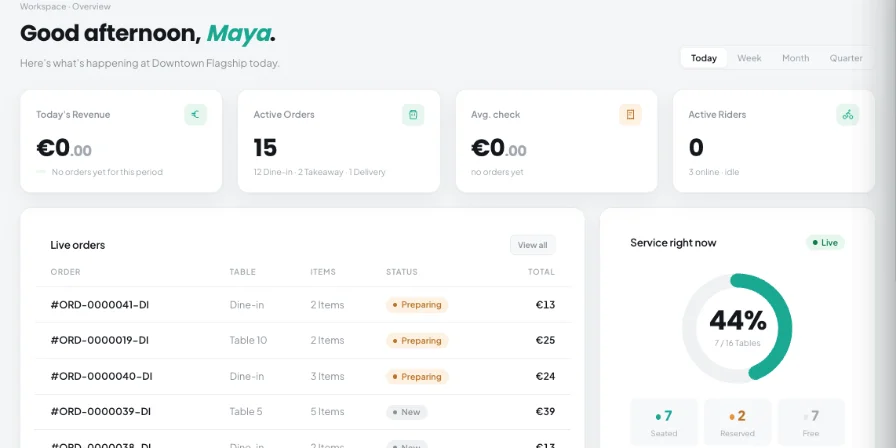
The hardest part of changing restaurant software is rarely the software. It is re-entering hundreds of dishes, ingredients and staff details while still running service. Kappino is designed so you can bring that data in quickly, set up at your own pace and keep the restaurant open while you do it.
When you first sign in, choose New restaurant if you are starting fresh, or Set up existing restaurant for a guided setup that brings your current data across.
Each step is optional and your progress is saved, so you can skip a step, close the wizard and pick up where you left off. You can relaunch it at any time from Settings → General → Launch Quick Setup.
For menu, inventory, tables, riders and staff, you don't have to add records one by one. Most restaurant systems and spreadsheets can export data that fits Kappino's templates with a little copying.
Suppliers are added in their own step, so your purchasing is ready when the first delivery arrives.
Each import comes with a CSV template that shows exactly which columns Kappino expects.
Fill the template in Excel, Google Sheets or Numbers, then upload the file or paste the rows straight in.
Kappino checks your data before importing it, so problems are caught while they are still easy to fix.
After setup, the Menu screen supports CSV import and export, and Restaurant Expenses has its own CSV import.
When you add staff during setup, you can send each person an email invitation so they set up their own access. Riders receive sign-in details for the Kappino Rider app, available on the App Store and Google Play. Use roles and permissions to decide what each person can see and do, from the POS to reports, and which branches they can access.
Every new account starts with a 14-day trial, so you can set up your restaurant, import your data and run real service before you decide. Our team helps with onboarding: we can walk you through the wizard and answer questions about your setup.
Kappino supports country-specific fiscal requirements; our team confirms the right fiscal setup for your country during onboarding.
POS, orders, kitchen flow, inventory, reporting and AI tools built for modern restaurant operations.