

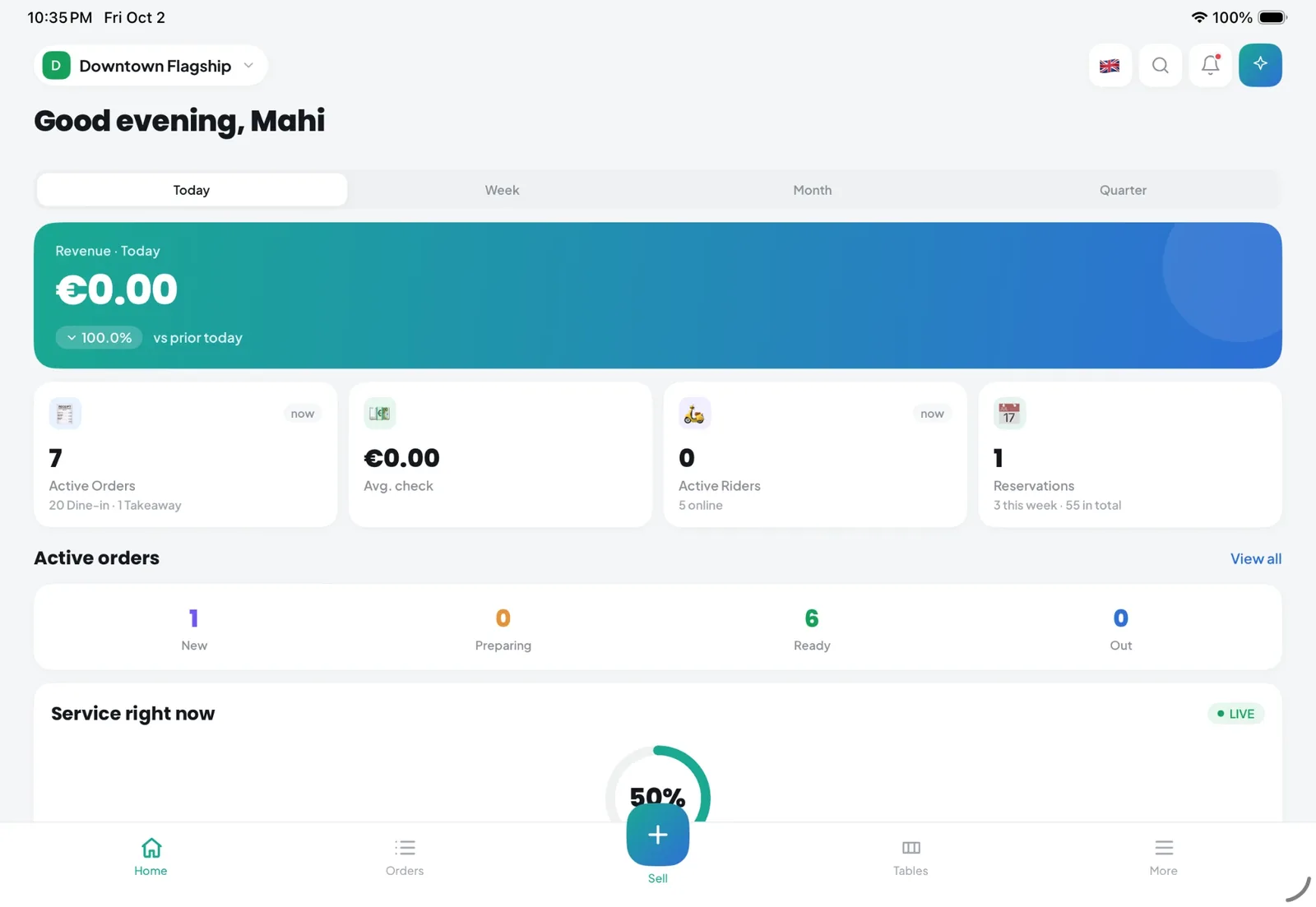
Quick answer: Restaurant management software is a single system that runs the day-to-day work of a restaurant: taking orders and recording payments, sending tickets to the kitchen, managing tables and bookings, tracking stock and suppliers, planning staff shifts, keeping guest records and reporting on sales and costs, so every part of the business works from the same live data.
This guide is for owners, operators and managers of independent restaurants, cafés and small groups in the UK, Switzerland and the European Union. It explains what restaurant management software includes, how to choose it, what it really costs, and how European rules on data protection, fiscal receipts and allergens should shape your decision.
Last reviewed: 3 October 2026. The compliance sections are general information, not legal or tax advice.
In this guide:
- A plain-language definition, a module-by-module map and a comparison with POS and ERP software
- A ten-question vendor checklist, a scorecard you can copy and a full cost breakdown
- What GDPR, the Swiss FADP, German TSE rules and Italian electronic receipts mean for your software choice
What Is Restaurant Management Software?
Definition
Restaurant management software (also called a restaurant management system, or RMS) is a connected set of tools for running a food business: front of house, kitchen and back office in one place. Each sale, booking, delivery and shift feeds the same database, so stock, costs and reports update as service happens rather than at the end of the month.
In practice it replaces paper tickets, a booking diary, stock spreadsheets, a separate rota app and the end-of-week job of copying figures from one tool into another.
Restaurant management software vs POS vs ERP
A point of sale (POS) records sales. Restaurant management software connects those sales to everything else that happens in the venue. A general ERP or accounting package handles finance across any industry, usually without knowing what a cover, a kitchen station or a table turn is.
| POS only | Restaurant management software | General ERP or accounting | |
|---|---|---|---|
| What it handles | Orders, bills and payment recording at the till | POS plus kitchen, tables, bookings, stock, staff, guests, delivery and reporting | Ledgers, invoices, purchasing and finance across departments |
| Who it suits | A single counter or kiosk with simple needs | Restaurants, cafés and groups that want operations connected | Larger businesses with finance teams and complex accounting |
| Typical gaps | No stock deduction, rota or guest history | Not a replacement for your accountant or payroll provider | Little restaurant-specific workflow at the pass or on the floor |
| Example question it answers | What did we take today? | Which dish lost margin this week, and did we staff Saturday correctly? | What is our VAT liability this quarter? |
Cloud-based vs on-premise
On-premise systems keep data on a server or terminal in the restaurant. Cloud-based restaurant software keeps it in a data centre that you reach through a browser or app, which makes remote access and multi-site reporting simple and leaves updates and backups to the vendor. The trade-off is that cloud software depends on a reliable internet connection, so ask every vendor exactly what happens when the connection drops during service: can you still take orders, print kitchen tickets and issue receipts? Our comparison of cloud vs traditional POS goes into more detail.
What Does Restaurant Management Software Include? The Core Modules
Most platforms are sold as a set of modules. Below is what each one does, the problem it solves, how it connects to the rest and what to ask a vendor. Examples come from Kappino, the product we know best, but the questions apply to any system.
| Module | Problem it solves | Connects to |
|---|---|---|
| POS and menu | Slow, error-prone ordering and billing | Kitchen, stock, CRM, reports |
| Orders and kitchen display | Lost or unclear tickets, slow passes | POS, QR and online ordering, delivery |
| Reservations and tables | Double bookings, unknown table status | POS, CRM, staff planning |
| Inventory, suppliers, waste and expenses | Unknown food cost, stock-outs and over-ordering | Menu recipes, POS sales, profit reports |
| Staff and shift planning | Rotas that ignore demand, labour cost surprises | Sales history, forecasts, branches |
| CRM, loyalty and marketing | No idea who your regulars are | POS orders, online ordering, email and WhatsApp |
| Delivery and riders | Riders managed by phone and group chat | Orders, live tracking, customer details |
| Analytics, forecasting and AI | Decisions made on gut feel | Every other module |
| Multi-branch and integrations | Separate systems per site, retyped website orders | Everything, across locations |
Point of sale and menu management
The POS is where most restaurant data starts, so it must be fast under pressure. Look for the order types you actually use (dine-in, counter, takeaway, delivery), the ability to hold a ticket and resume it on another terminal, and edits that send only the new lines to the kitchen. In Kappino's restaurant POS software, staff also record how each bill was paid (cash, card, wallet, QR or meal voucher) and can split bills equally, by item or by hand. Note that Kappino records the payment method rather than processing cards, so your card terminal remains a separate contract.
The POS is only as good as the menu behind it. Good restaurant menu management keeps prices, options, allergens and channel availability in one place, so a change reaches the till and the QR menu at the same time. Ask: if I change a price, how many screens must I update?
Orders, kitchen display and ordering channels
Orders now arrive from the table, the counter, QR codes, your website and messaging apps. An order management system brings them into a single live board with statuses, filters and a searchable history, and records voids and cancellations with a reason.
A kitchen display system (KDS) replaces paper tickets with screens. Look for routing (grill items to the grill, desserts to pastry), item-level check-off and timers that flag late tickets. In Kappino, kitchen stations are called environments, and timers turn amber at 8 minutes and red at 15.
For guest-facing channels, a QR menu with online ordering lets guests browse allergens and options on their phone and order for dine-in, takeaway or delivery, with orders going straight to the kitchen. Some platforms also take orders in chat: Kappino's WhatsApp AI order taker shows the menu, builds a cart, takes the order and books tables, and staff can step into any conversation. Ask any vendor which channels land in the same kitchen queue and which need a separate tablet.
Reservations, tables and floor plan
A reservation management system replaces the diary with an online booking page, confirmation emails and checks against double bookings. Tie it to a live table and floor plan and the host sees which tables are free, seated or reserved. In Kappino, online bookings arrive as pending for staff to confirm, and no-shows can be marked so you see the pattern over time. Ask whether you can set service periods, party limits and slot lengths.
Inventory, suppliers, waste and expenses
Food cost is one of the biggest costs you can control, and this is where the software earns its keep. The core of an inventory management system is recipe-based deduction: each dish sold removes its ingredients from stock, and a cancelled order puts them back. That gives you live stock levels, low-stock alerts and a real cost per dish.
The slow part is getting purchase data in. AI inventory management tools read supplier invoices from photos, PDFs and spreadsheets, and in Kappino's case Italian FatturaPA e-invoices too, then place the result in a review queue so a person approves it before stock changes. Supplier records keep prices, pack sizes and lead times next to the ingredients they supply.
Two modules close the loop on margin. Restaurant waste management records wasted orders, items and stock losses with a reason and a value, so waste stops being a guess. Expense management brings rent, utilities and other bills into the same place, so you can see profit rather than just revenue.
Staff and shift planning
Rotas copied from last week ignore what is actually coming. Restaurant staff scheduling tools let you plan by area, publish the rota to the team and keep labour cost as a percentage of sales in view. An AI shift planner goes further: Kappino's planner builds a demand forecast from the past 28 days of orders, proposes a plan that respects roles and availability, and suggests cover when someone drops out. Many platforms, Kappino included, do not run payroll or time clocks, so ask how rota data reaches your payroll provider.
CRM, loyalty and marketing automation
A restaurant CRM builds guest profiles from the orders you already take, with order counts, lifetime value and segments. A loyalty and rewards programme turns that into tiers and points earned on every channel, not just in the dining room.
Restaurant marketing automation then uses the same data to send the right message: an email campaign to guests who have not ordered in a month, or, in Kappino's case, WhatsApp nudges for abandoned carts and guests who have not reordered in 14 days.
Delivery and rider management
If you deliver with your own riders, delivery rider management replaces phone calls and group chats with dispatch, a live map and messaging. Kappino riders use the Kappino Rider app, available on the App Store and Google Play, to receive deliveries, share their location, mark orders collected and delivered, attach a proof-of-delivery photo and chat with the restaurant. If you rely on delivery marketplaces, ask whether their orders reach the kitchen queue; Kappino does not integrate with them.
Analytics, forecasting and AI
Restaurant analytics should show sales, food cost, labour and waste by period and branch, without exports. Forecasting looks ahead: AI sales forecasting in Kappino projects revenue, covers and average order value over 7, 30 or 90 days with a confidence badge, and takes holidays and seasonality into account. Kappino's AI smart pricing suggests price changes and simulates their effect, but prices change only when a manager applies them. Across all of this sits Pino AI, a chat copilot that answers questions about your own data; the AI tools overview explains each one. Ask any vendor whether its AI can change anything without approval.
Multi-branch management and integrations
Multi-branch management lets you switch between branches or view them together, compare KPIs and transfer stock between branches with an approval step. Integrations connect the rest: in Kappino that means WordPress and WooCommerce orders through the Kappino Connect plugin, connecting a Shopify store, Facebook, Instagram, Google Business Profile, WhatsApp and scoped API keys.
For the full catalogue, see all Kappino features. If you want a gentler introduction first, our plain-language guide explains what a restaurant management system does.
Who Needs It? Restaurant Management Software by Business Type
The core modules are the same everywhere, but which matter first depends on your format.
Cafés and coffee shops
Speed at the counter, a simple menu with many modifiers, and stock of milk, beans and bakery items that turns over daily. Loyalty matters because the same guests come back several times a week. See café management software.
Fast food and quick service
Throughput is everything: counter and takeaway orders, a kitchen display that keeps the line moving, and tight portion and stock control on a short menu. See fast food management software.
Pizzerias
Sizes and extras, a mix of dine-in, collection and delivery, and riders on the road at peak. Recipes per size keep dough and topping costs honest. See pizzeria software.
Cloud kitchens
No dining room, so the kitchen display, order queue and delivery tracking carry the whole operation. See cloud kitchen software.
Franchises
A franchisor needs consistent menus, shared reporting and permissions that let each franchisee run their own site without seeing everyone else's numbers. See franchise management software.
Restaurant chains
Head office wants comparison across sites, central control of the menu and stock that can move between branches. See restaurant chain management, or browse Kappino solutions by business type.
Benefits, and When You Might Not Need It
What changes when operations are connected
The benefit is not a single feature: one action updates everything it touches. For example:
- An order reaches the kitchen once. Table, QR and website orders appear on the same kitchen display, routed to the right station, with modifiers and allergy notes on the ticket.
- Stock moves when you sell. Each dish deducts its recipe from inventory, so Friday morning's low-stock alert reflects Thursday night's sales.
- Rotas follow demand. The shift planner can use your own sales history to suggest staffing, rather than a copy of last week.
- Guests are recognised. A booking, an online order and a dine-in bill all add to the same customer profile and loyalty balance.
- Month-end gets shorter. Sales, purchases, waste and expenses are already in one place, so profit is visible during the month, not after it.
We deliberately do not quote percentage savings here: the results depend on how disciplined the set-up is, and we have not seen independent figures we would stand behind. Our guide to how connected operations work walks through these workflows step by step.
When a POS plus a few specialist tools is enough
An all-in-one platform is not always the answer. A kiosk, coffee cart or small café with a fixed menu and no table service can run well on a simple POS, a stock spreadsheet and a shared calendar for staff, without paying for modules it will not use.
The signs that you have outgrown that set-up are usually practical rather than strategic:
- You retype the same information (menu prices, sales totals, supplier invoices) into more than one tool each week.
- You cannot say what a dish costs you today, or which items are losing margin.
- Bookings, walk-ins and online orders collide because they live in different places.
- Rotas are built from memory and labour cost is a surprise at the end of the month.
- You have opened, or plan to open, a second site and want one set of numbers.
If two or more of these sound familiar, a connected system will probably save more time than it costs to set up.
How to Choose Restaurant Management Software
This is the short version. For a deeper walk-through with workflow examples, read our full buyer's checklist.
Start with your workflows, not a feature list
Write down five or six moments in a normal week and test each system against them: a busy Friday dinner, a delivery arriving with a short invoice, a member of staff calling in sick, a guest with an allergy ordering on a QR menu, the end-of-month stock count, a price change across two sites. Ask each vendor to show you those moments live, with your own menu if possible, rather than a scripted demo.
Ten questions to ask every vendor
- Fiscal compliance: Which fiscal rules do you support in my country, how is it certified, and who sets it up? Ask for the specific device or service, not a general promise.
- Hosting: Where is my data hosted, by which provider, and which features send data to third parties or outside Europe?
- Processor agreement: Will you sign a data processing agreement, and can I see your current list of sub-processors?
- Languages: Which languages are available for staff screens, guest-facing menus, booking pages and emails?
- Devices: Which tablets, computers and phones does it run on, and can I use hardware I already own?
- Offline behaviour: What exactly happens if the internet drops during service, and is any offline mode available today or only planned?
- Contract and exit: How long is the contract, what is the notice period, and how do I export my menu, sales and customer data if I leave?
- Support: What are the support hours, in which languages, and what response times are included in my plan?
- Integrations: What connects today to my accounting tool, website, delivery platforms and payment terminal, and what would need manual work?
- Total cost: What will I pay in year one including hardware, set-up, extra sites, add-ons and payment processing, in writing?
Devices and hardware
Check the hardware question early, because it changes the cost and the rollout. Some systems need their own terminals; others run on tablets and computers you already have. Kappino runs in the browser on iPad, Android tablets, Windows PCs and Macs, with the Kappino app and the Kappino Rider app on the App Store and Google Play. A desktop app with offline mode is in development. If you need new equipment, the restaurant POS hardware range includes receipt printers, Android POS terminals and a kitchen display screen, quoted by the team. Whatever you choose, ask the vendor to confirm in writing which printers, cash drawers and card terminals work with it.
Evaluation scorecard
Copy this table into a spreadsheet and score each shortlisted system from 1 (poor) to 5 (excellent) after a demo or trial. Multiply by the weight, then add up the totals. Adjust the weights to your own priorities: a cloud kitchen might weight delivery at 3 and reservations at 1.
| Criterion | Weight (1–3) | System A (1–5) | System B (1–5) | System C (1–5) |
|---|---|---|---|---|
| Fits our key workflows (tested live) | 3 | |||
| Fiscal compliance for our country, confirmed in writing | 3 | |||
| Data hosting, DPA and sub-processor list provided | 2 | |||
| Kitchen and order flow at peak | 3 | |||
| Inventory and recipe costing | 2 | |||
| Staff scheduling | 2 | |||
| Guest CRM, loyalty and marketing | 1 | |||
| Multi-branch control (if relevant) | 2 | |||
| Languages for staff and guests | 2 | |||
| Devices, hardware and connection resilience | 2 | |||
| Data export and contract exit terms | 2 | |||
| Support hours and language | 2 | |||
| Total year-one cost (higher score = better value) | 3 |
Red flags
- No public pricing and no written quote until late in the sales process.
- No data-export route, or exports only on request for a fee.
- No named hosting location or provider, and vague answers about sub-processors.
- "Fully fiscal compliant" claims with no detail of the certified device, service or country covered.
- Long minimum terms with automatic renewal and no trial or pilot period.
Trial, demo and migration
Use a trial to run real service, not just to click around. Before you switch, plan which data to bring across and the order of the rollout (see the implementation section below).
How Much Does Restaurant Management Software Cost?
Restaurant management software pricing is usually a monthly subscription per location, plus hardware, payment processing and set-up costs. Prices vary widely, from free entry-level tills funded by payment fees to full platforms priced per site, and many vendors only quote on request, so compare the total first-year cost, not the headline price.
Pricing models explained
Vendors package prices in a few common ways:
- Per location: a monthly fee per site, sometimes with discounts for more sites.
- Per terminal or device: you pay for each till, tablet or kitchen screen. Cheap for small venues, expensive for large floors.
- Per user: charged by staff account.
- Tiered bundles: plans that unlock modules as you move up. Check which features you actually need sit in which tier.
- Add-ons: modules such as loyalty, online ordering or AI sold separately on top of a base plan.
- Payment-linked pricing: a low or free subscription funded by card-processing fees or commission on online orders. The software looks cheap; the transaction costs are where you pay.
The full cost stack
The subscription is rarely the biggest number in year one. Use this table to build a like-for-like comparison.
| Cost item | What it covers | What to ask |
|---|---|---|
| Subscription | Monthly or annual fee for the software | Per location, terminal or user? What is included and what is an add-on? Annual or monthly commitment? |
| Hardware | Tablets, POS terminals, kitchen screens, receipt printers, cash drawers | Can I use my own devices? Which printers and terminals are supported? Buy or lease? |
| Payment processing | Card fees charged by your payment provider | Is processing tied to the software, or can I keep my own provider? What are the rates per transaction? |
| Set-up and migration | Menu, stock, staff and customer data import; fiscal device set-up | Is onboarding included? Is there a bulk import? Who sets up fiscal compliance? |
| Training | Time for managers and staff to learn the system | Is training included, and in which languages? Is there a help centre? |
| Integrations | Website, accounting, marketing and other connections | Which integrations are included, and which need a higher plan or a developer? |
| Support | Help when something goes wrong during service | Hours, channels, response times and language for my plan. |
| Rollout risk | Lost revenue and staff time if go-live is rushed or delayed | Can we run a pilot first? How long does a typical set-up take? |
The last row is the one most buyers forget. A rollout that starts on a busy Saturday, or a menu imported with the wrong prices, can cost more in a single service than months of subscription. Budget time for a quiet go-live and a week of close monitoring.
Typical market ranges
Published prices vary widely and change often. Some vendors offer a free basic POS and charge through payment fees; others publish clear monthly plans; many full platforms are quote-only. Because of that, we do not quote an industry average here. The only reliable range is the one you build yourself: collect written quotes, put them into the cost stack above, and compare the year-one total for the same number of sites and devices.
What Kappino costs
Kappino publishes its prices. There are three monthly plans, as set out on the pricing page:
| Plan | Price | What the pricing page highlights |
|---|---|---|
| Starter | €99 per month | Essential tools for small restaurants, cafés and single-location businesses: POS, order and kitchen management, inventory and suppliers, tables and reservations, menu management, 3 staff accounts and Help Centre support. Main branch only. |
| Growth | €199 per month | Everything in Starter, plus waste management, expenses, delivery rider management, AI inventory, the AI staff shift planner and priority Help Centre support. Extra branches available. |
| Professional | €399 per month | Everything in Growth, plus loyalty and customer management, AI sales forecasting, AI item smart pricing, WordPress and Shopify website integration, social media management, email marketing, Pino AI Copilot, the AI Poster Generator, and priority plus instant email support. |
On the Growth and Professional plans, extra branches cost €139 each per month for branches one to five, and €99 each per month from the sixth. As the pricing page notes, final pricing may vary depending on set-up, integrations, support requirements and business needs. Hardware and card processing are separate. See Kappino pricing plans for the full side-by-side comparison. New accounts start with a 14-day trial.
Restaurant Management Software in Europe: GDPR, Fiscal Rules, Languages and Hosting
Most guides are written for the US market and skip the rules that shape software choices in Europe. This section summarises them. It is general information, not legal or tax advice; ask your accountant or data protection adviser to confirm what applies to you.
| Area | Rule | What it means for your software | What to ask your vendor |
|---|---|---|---|
| Data protection (EU) | GDPR, Article 28 of the GDPR | The vendor processes guest and staff data for you under a written contract | Can I sign your DPA and see your sub-processors? |
| Data protection (UK) | UK GDPR, see ICO guidance on contracts | Same controller and processor logic | Does your DPA cover UK GDPR? |
| Data protection (Switzerland) | Revised FADP, in force since 1 September 2023 | Applies to Swiss operators; EU adequacy allows data flows from the EU | Where is data hosted, and what leaves it? |
| Fiscal (Germany) | KassenSichV and §146a AO | Tills need a certified TSE, and receipts must be issued | Which TSE do you use, and who registers it? |
| Fiscal (Italy) | Electronic daily takings (corrispettivi) | Takings go to the tax agency via a registratore telematico; card terminals paired from 2026 | How do you connect to the RT? |
| Allergens | UK FSA guidance; Regulation (EU) No 1169/2011 | Allergen information must be available, including for non-prepacked food | Can I record allergens per dish and show them on menus? |
GDPR and UK GDPR: what the software has to do
When you use restaurant software to store guest bookings, customer profiles, loyalty points or staff details, your restaurant is normally the controller of that personal data and the software company is a processor acting on your instructions. Article 28 of the GDPR requires processing by a processor to be governed by a binding contract, and the ICO guidance on contracts is equally clear for the UK: whenever a controller uses a processor, a written contract needs to be in place.
Check four things before you sign:
- Data processing agreement (DPA): ask for it up front and check its security measures and breach notification duties.
- Sub-processors: ask for the list of providers (hosting, email, AI, messaging) and where each processes data.
- Marketing consent: campaigns need a lawful basis, usually consent, and an easy unsubscribe.
- Export and deletion: you must be able to answer access and erasure requests, and get your data back when you leave.
Kappino's approach, including its role as processor under a DPA, data export and account deletion, is set out on the GDPR and Swiss FADP compliance page.
Switzerland: FADP, EU adequacy and Swiss hosting
Switzerland has its own data protection law. According to the Swiss Federal Data Protection and Information Commissioner (FDPIC), the revised Federal Act on Data Protection came into force on 1 September 2023. The European Commission then confirmed on 15 January 2024 that Switzerland's level of data protection remains adequate, which means personal data can continue to flow from the EU and EEA to Switzerland without extra safeguards.
Swiss hosting gives your data a clear legal home under a regime the EU recognises as adequate, which removes one transfer question for EU operators. It does not make a restaurant compliant on its own: you still need a lawful basis for marketing, sensible retention, access controls and a DPA. And AI, messaging and social tools often rely on providers based elsewhere, so ask which features send data outside the main hosting location.
For transparency: Kappino's core platform and database are hosted in Switzerland by Infomaniak, and some features rely on providers that process data outside Switzerland and the EU/EEA, such as OpenAI, Google and Meta. The security policy describes encryption, backups and access controls.
Fiscal compliance by country
Several European countries require tills to record sales in a tamper-proof way and, in some cases, report them to the tax authority. This is where vague vendor claims are most risky.
Germany. Under Section 146a of the German Fiscal Code and the KassenSichV, electronic recording systems such as POS tills must be protected by a certified technical security device (TSE), and a receipt must be issued for each transaction unless an exemption has been granted. The TSE has to be certified by the BSI, the federal information security office.
Italy. Businesses must store their daily takings (corrispettivi) electronically and transmit them to the Agenzia delle Entrate, normally through a registratore telematico (RT). According to fiskaly's overview of the Italian rules (November 2024), the obligation applied from July 2019 for businesses above €400,000 turnover and from January 2020 for everyone else, and a certified software alternative to the hardware RT has been introduced. From 1 January 2026, electronic payment terminals must also be paired with the RT; the Agenzia delle Entrate has set this up as an online pairing service rather than a physical connection. Confirm the current position with your accountant, as these rules have changed several times.
Kappino: Kappino has an approved fiscal system and supports country-specific fiscal requirements, including TSE-signed receipts in Germany (KassenSichV) and electronic receipts via a registratore telematico (RT) in Italy; our team confirms the right fiscal setup for your country during onboarding.
Other countries. France, Austria, Spain, Poland and others have their own fiscal rules, and the UK has different requirements again. Ask any vendor, including Kappino, to confirm in writing how it handles your specific country before you sign.
Languages and staff
European teams often work in several languages. Check language support separately for staff screens, guest menus, booking pages, emails and receipts, as vendors often translate some and not others. Kappino's staff app, emails and notifications are available in English, Italian, German, French and Spanish, the guest QR menu and booking page show their labels in those five languages, and AI menu translation lets staff read dish names in their own language. Guests see dish names and descriptions as you wrote them.
If you trade in more than one currency, check this carefully too: some platforms support several currencies in one account and others, Kappino included, do not.
Allergen and food information
Food businesses in the UK and EU must provide allergen information for the 14 regulated allergens, including for food that is not prepacked. See the Food Standards Agency allergen guidance and Regulation (EU) No 1169/2011 on food information to consumers. Software cannot make you compliant, but ask whether you can record allergens per dish, show them on online menus and pass allergy notes to the kitchen. In Kappino, allergens and nutrition are recorded per menu item and shown on the QR menu, and guests can add notes such as allergies for the kitchen.
Implementing Restaurant Management Software
Most of the work in a rollout is preparation, not software. A typical sequence looks like this:
- Audit: list your current tools, the data in each and the workflows you want to change.
- Prepare data: clean the menu, recipes, suppliers, staff list and customer data before import.
- Set up menu and stock: import items and recipes, then check costs and allergens on a sample of dishes.
- Install hardware and fiscal devices: test printers, kitchen screens and the fiscal set-up for your country.
- Train the team: short role-based sessions for front of house, kitchen and managers.
- Go live and review: choose a quiet day, keep a fallback for the first services, then review after a week.
Kappino's Quick Setup wizard covers the data steps in nine stages with CSV templates for bulk import. For a full step-by-step plan, see our implementation checklist.
Where Kappino Fits
What Kappino is
Kappino is an all-in-one restaurant management platform made by TechVerdi SA in Pully, Switzerland (see about TechVerdi). It brings POS, orders, the kitchen display, inventory and suppliers, reservations and tables, staff and shifts, CRM, loyalty, marketing automation, delivery riders, analytics and multi-branch management into one system. It runs in the browser on iPad, Android tablets, Windows PCs and Macs, with the Kappino app and Kappino Rider app on the App Store and Google Play. The staff app is available in five languages, the core platform is hosted in Switzerland, and it supports fiscal requirements in Germany and Italy as described above.
Pino AI
Pino AI is the copilot built into Kappino. You ask a question in plain language, such as today's sales or what is running low, and it answers from your own data with KPI cards, tables and charts that show their sources. It respects each user's role and answers in English, Italian, German, French or Spanish. Taking actions from the chat, such as booking a table with a confirmation card, is a pilot rolling out gradually. On the pricing page, Pino AI Copilot is included in the Professional plan.
Good fit and not a fit
Kappino is likely to suit you if:
- You want one connected system for front of house, kitchen and back office rather than several separate tools.
- Your team works in more than one language, or you run sites in different European countries.
- You operate or plan several branches, particularly in Germany, Italy, Switzerland or nearby markets.
- You want published prices and a trial before committing.
It is probably not the right fit if:
- You need a fiscal regime that Kappino does not list for your country, or full offline operation today.
- You rely on delivery marketplace orders flowing automatically into the till, or need integrated card payments in the same system.
- You need payroll, time clocks or multi-currency in one account.
- You only need a bare till for a single counter.
If you are unsure, talk to the team about your country and set-up before you decide.
Frequently Asked Questions
What is restaurant management software?
Restaurant management software is a connected system for running a food business. It combines the point of sale with kitchen tickets, tables and reservations, inventory, suppliers, staff scheduling, guest records and reporting, so every sale, booking and delivery updates the same data.
What is the difference between a POS system and restaurant management software?
A POS records orders and payments at the till. Restaurant management software includes a POS but connects it to the rest of the operation: kitchen display, stock deduction from recipes, bookings, rotas, CRM and reports. A POS tells you what you sold; a restaurant management system also shows what it cost you.
What features should restaurant management software include?
At minimum: a fast POS, menu management, order management with a kitchen display, table and reservation management, inventory with recipe costing, supplier records, staff scheduling and reporting. Depending on your format, add online ordering, delivery, CRM and loyalty, multi-branch control and fiscal compliance for your country.
How much does restaurant management software cost?
Most restaurant management software is a monthly subscription per location, plus hardware, card processing, set-up and training. Prices vary widely and are often quote-only, so compare the full year-one cost for the same number of sites. Kappino's published plans are €99, €199 and €399 per month.
Do small restaurants or cafés need restaurant management software?
Not always. A kiosk or small café with a fixed menu can run on a simple POS and a stock spreadsheet. A connected system becomes worthwhile when you retype the same data into several tools, cannot see dish costs, have bookings and online orders colliding, or are opening a second site.
What is the best restaurant management software for multi-location restaurants?
There is no single best choice; the right one depends on your formats and countries. For multiple sites, prioritise a shared menu with central control, branch-level permissions, side-by-side reporting, stock transfers between branches, clear per-branch pricing and fiscal compliance in each country you operate.
Is cloud-based restaurant software safe, and who owns my data?
Cloud software can be very secure if the vendor uses encryption, access controls, backups and a named hosting provider. As the restaurant, you remain the controller of guest and staff data; the vendor processes it for you under a data processing agreement. Check the contract for export rights.
Does restaurant management software need to be GDPR compliant?
Your restaurant is responsible for GDPR or UK GDPR compliance, and your software vendor acts as a processor. The law requires a written contract between you, usually a data processing agreement. Choose software that offers a DPA, lists its sub-processors, records marketing consent, and lets you export or delete personal data on request.
What fiscal rules apply to restaurant software in Germany and Italy?
In Germany, tills must be protected by a BSI-certified technical security device (TSE) under the KassenSichV, and receipts must be issued. In Italy, daily takings are stored and sent to the Agenzia delle Entrate, usually through a registratore telematico, and card terminals must be paired with it from 2026. Confirm details with your accountant.
Can one system run a restaurant team in several languages and branches?
Yes, if the software supports both properly. Check which languages cover staff screens, guest menus, booking pages and emails, and whether branches share one menu with separate reports and permissions. Kappino's staff app works in English, Italian, German, French and Spanish, and lets you switch between branches or view them together.
Choosing restaurant management software is easier when you test it against your own service, costs and country rules rather than a feature list. If you would like to see how Kappino handles your menu, branches and fiscal set-up, book a demo with our team, or compare Kappino plans and start with a 14-day trial.