

Supplier directory
Name, email, phone, address, warehouse, delivery time and notes — and a quick view of suppliers still missing contact details.
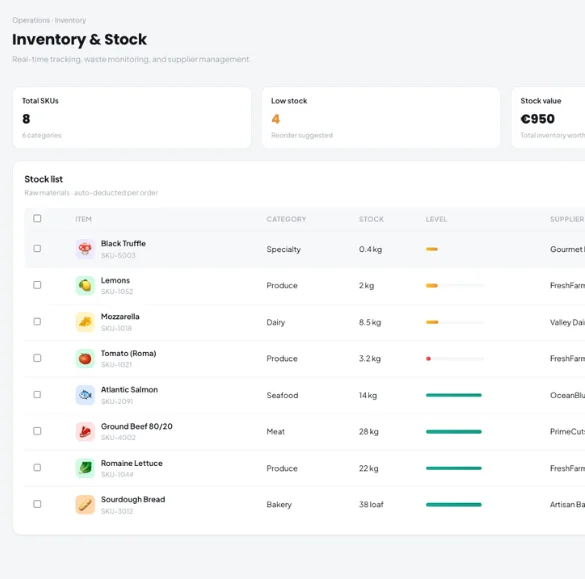
Keep supplier details, prices and lead times next to the ingredients they supply — so low stock is spotted early and every delivery lands straight in your inventory.
Name, email, phone, address, warehouse, delivery time and notes — and a quick view of suppliers still missing contact details.
Link an ingredient to several suppliers, each with its own SKU, pack price, pack size, unit, lead time and minimum order.
Mark the supplier you normally buy from for each item.
Items below their reorder level are flagged, so you know what to order before service suffers.
Record what arrived, see the new stock level before saving and update the cost price in the same step.
A searchable history of every delivery you have received.
See the last price paid to each supplier for an item, and how its purchase price has moved over time in AI Inventory.
Scan supplier invoices — including FatturaPA e-invoices — with AI Inventory. Kappino remembers each supplier’s article codes so later deliveries match automatically.
Add your suppliers and connect them to the ingredients they deliver, with prices and lead times.
Kappino highlights items that need reordering based on your stock levels.
When goods arrive, receive them into stock and keep cost prices up to date.
POS, orders, kitchen flow, inventory, reporting and AI tools built for modern restaurant operations.