

Posts, carousels and Reels
Upload photos or video, write the caption and publish a single post, a carousel or a Reel. Images can be up to 10 MB and videos up to 200 MB.
Plan, publish and answer on Facebook and Instagram from the same app you use to run service. Kappino puts your posts, comments, direct messages, insights and Google reviews in one Marketing area, so social media stops being a separate job.
Restaurant social media tends to happen in pieces: a post written on a phone between services, comments left unanswered for days, a Google review nobody noticed. Each one is small, but together they shape how guests decide where to eat.
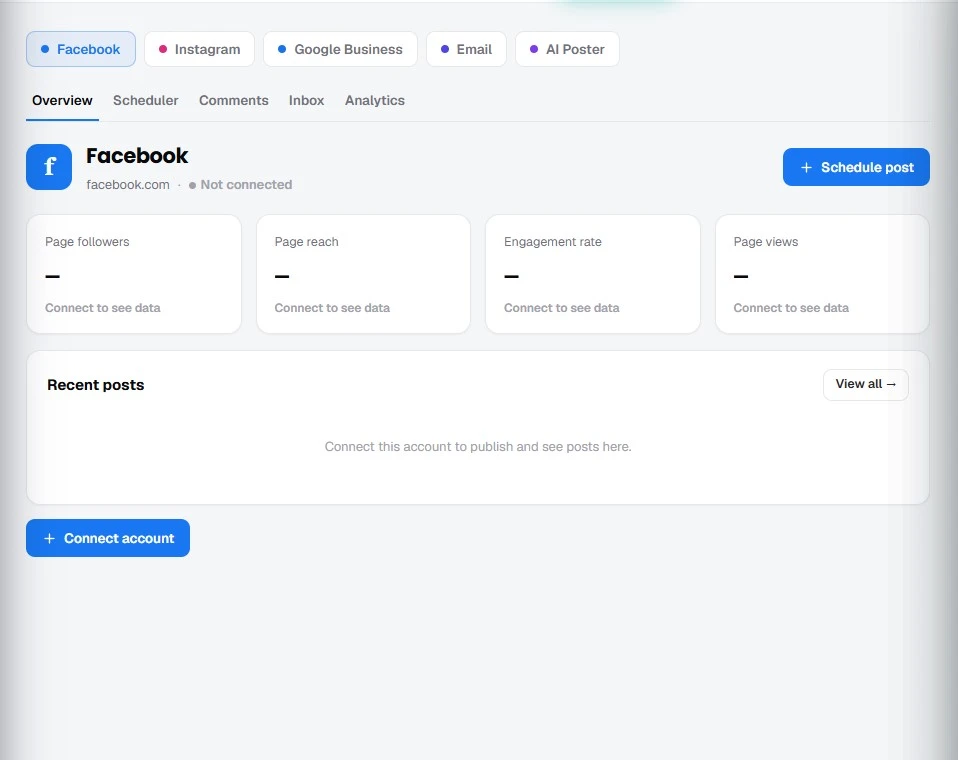
In Kappino you connect your Facebook Page, Instagram account and Google Business Profile once, then work from separate Facebook, Instagram and Google Business tabs in the Marketing area. Access follows your roles and permissions, so you decide which team members can publish and reply.
Write once and choose when it goes out. You can publish immediately or schedule posts for the moment your guests are most likely to be scrolling, such as before lunch or early evening.
Upload photos or video, write the caption and publish a single post, a carousel or a Reel. Images can be up to 10 MB and videos up to 200 MB.
Prepare a week of content in one sitting and schedule it all at once, instead of remembering to post during a busy service.
Publish the same post to more than one connected account, which is useful when you run separate pages for different venues.
Spotted a typo or a wrong price? Edit a live post in Kappino and the change is sent to the platform.
Comments from Facebook and Instagram arrive in one shared queue, so nobody has to check two apps. Kappino flags the sentiment of each comment and spots likely spam, and you can filter the queue to see what needs you first.
Keeping conversations in Kappino means whoever is on shift can pick up a message, and replies no longer depend on whose phone the account is logged into.
Read and reply to Facebook Messenger and Instagram direct messages from a single thread list. Questions about opening hours, allergies or group bookings no longer get lost in a personal phone.
See reach, views, followers and the results of individual posts for up to 90 days, so you can tell which dishes and formats your audience actually responds to.
Google reviews are often the first thing a new guest reads. With your Google Business Profile connected, you can see your ratings overview, filter reviews and post an owner response from Kappino. A thoughtful, timely reply to a disappointed guest shows future guests that you listen.
Your Google Business Profile details are shown read-only in Kappino; you keep editing them in Google.
Need a visual for tonight's special? Upload a dish photo, write a short brief with the headline, price and call to action, and choose a size, style and theme. Kappino gives you four poster designs to edit, download as PNG, JPG or WEBP, or send straight to the scheduler for Facebook and Instagram.
POS, orders, kitchen flow, inventory, reporting and AI tools built for modern restaurant operations.