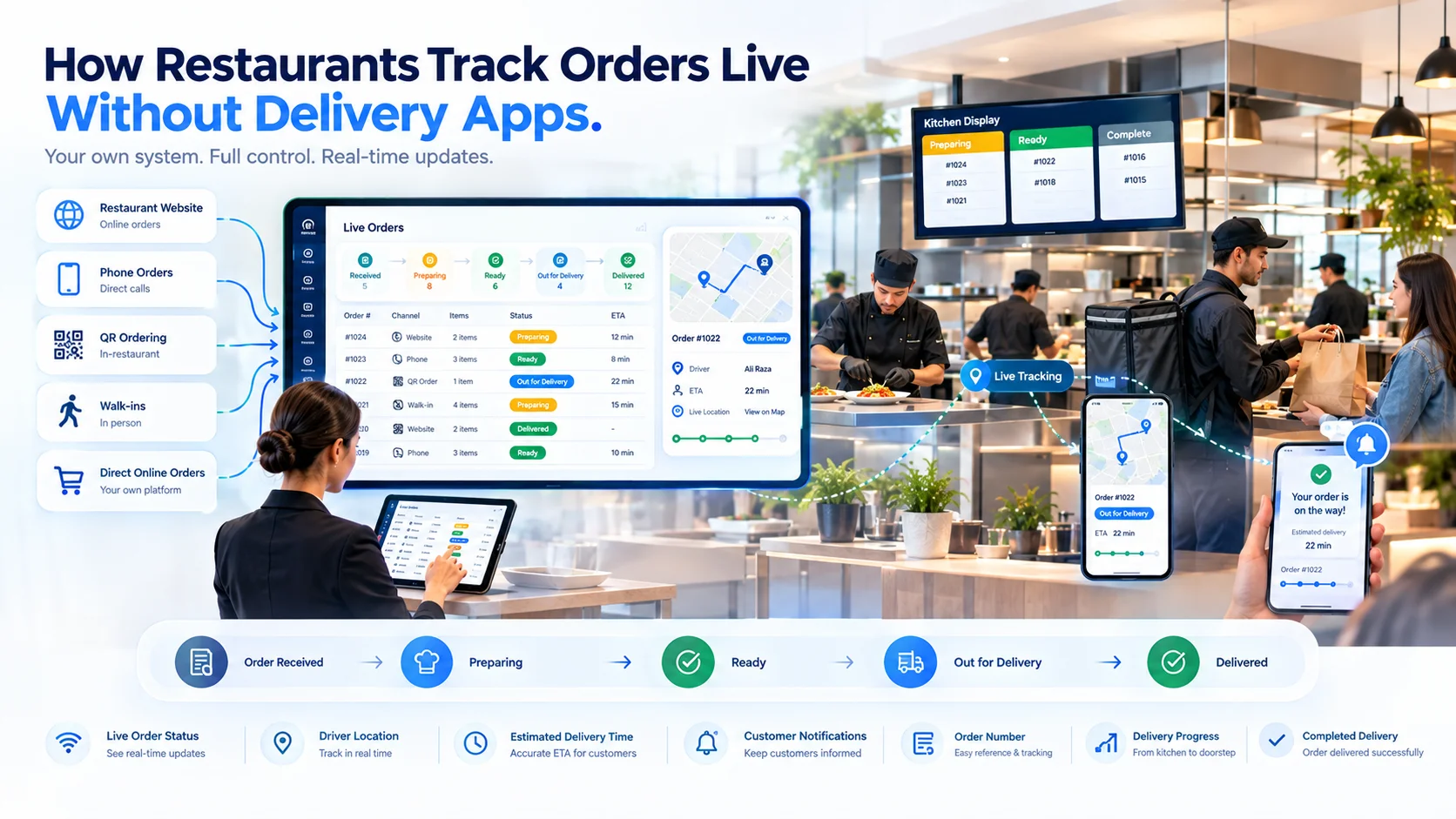
Quick Answer
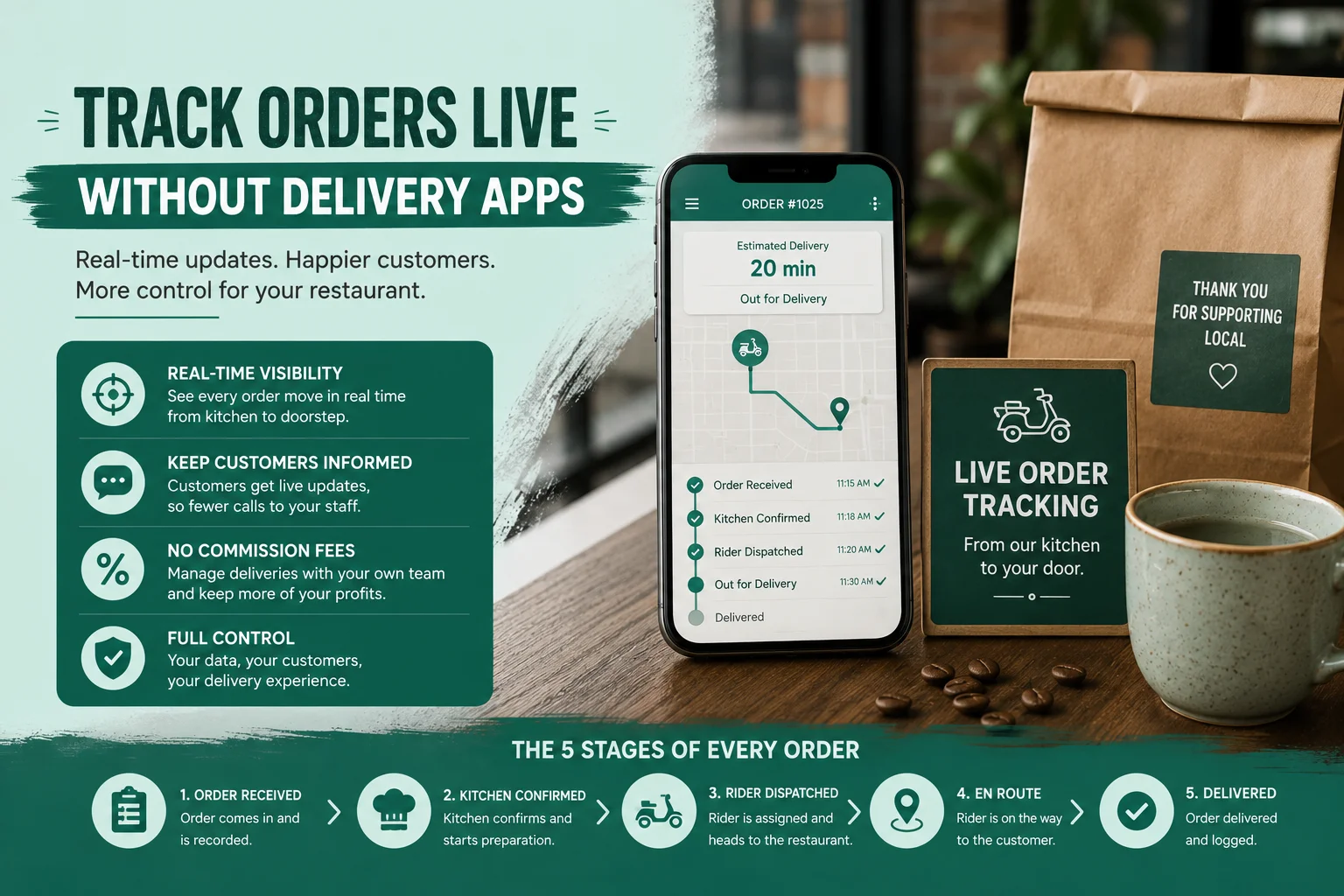
What Does “Without Delivery Apps” Mean?
- Takeaway orders
- Restaurant-managed deliveries
- Scheduled collections
- Website orders
- Telephone orders
- QR menu orders
- WhatsApp-assisted orders
How Live Restaurant Order Tracking Works
| Restaurant Action | Customer-Facing Update |
| Restaurant accepts the order | Order confirmed |
| Kitchen begins preparation | Preparing your order |
| Kitchen completes the items | Ready for collection or packing |
| Rider receives the order | Rider assigned |
| Rider leaves the restaurant | Out for delivery |
| Customer receives the order | Delivered |
Step 1: Accept Orders Through Direct Channels
- The restaurant website
- An online ordering page
- A QR code menu
- A POS terminal
- A self-service kiosk
- A telephone call
- An employee-created order
- A scheduled-order form
Step 2: Assign a Unique Order Number
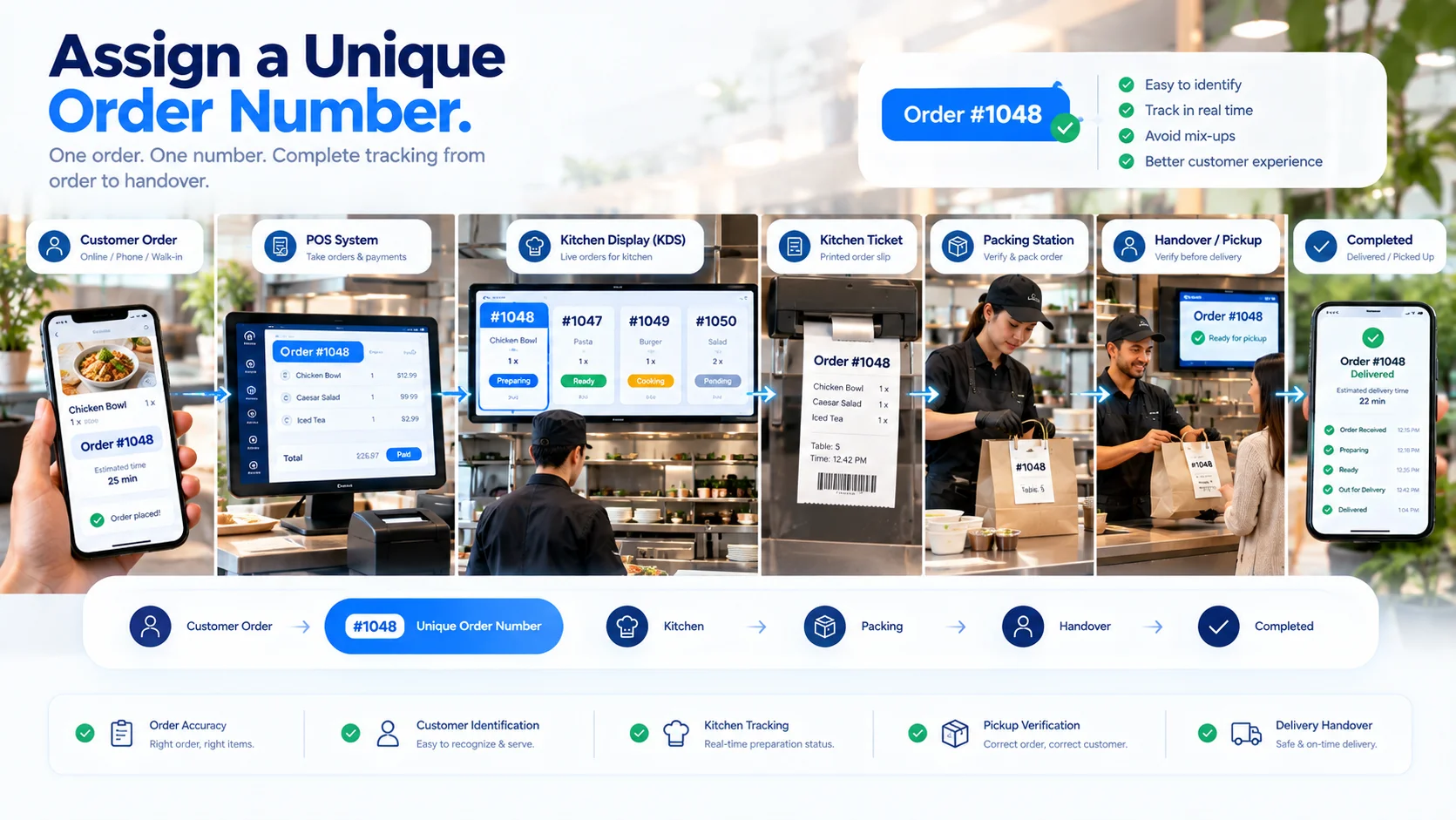
- Customer details
- Ordered items
- Kitchen tickets
- Payment status
- Collection information
- Rider assignment
- Tracking events
- Final transaction records
Step 3: Generate a Secure Tracking Link
- Restaurant or branch name
- Order number
- Order type
- Current status
- Estimated completion time
- Ordered items
- Collection instructions
- Delivery progress
- Restaurant contact information
Step 4: Send the Tracking Link to the Customer
- SMS
- Order-confirmation page
- Printed QR code
- Digital receipt
Step 5: Connect Tracking With the Kitchen Workflow
| Internal Status | Customer Message |
| New | Order received |
| Accepted | Order confirmed |
| Preparing | Your order is being prepared |
| Ready | Your order is ready |
| Cancelled | Please contact the restaurant |
- A kitchen display screen
- A POS terminal
- A preparation-station tablet
- A kitchen management device
- An authorized employee account
Step 6: Track Items Across Kitchen Stations
- Pizza → Pizza station
- Burger → Grill station
- Salad → Cold preparation
- Drink → Bar
- Dessert → Dessert station
Step 7: Provide Live Takeaway Updates
- Confirmed collection time
- Current preparation status
- Updated collection estimate
- Collection address
- Order number
- Collection instructions
- Payment status
Step 8: Track Restaurant-Managed Deliveries
- Rider assigned
- Order collected by rider
- Out-for-delivery status
- Updated arrival estimate
- Delivery completion
- Restaurant contact information
- Rider contact option
Step 9: Use GPS for Rider Location Tracking
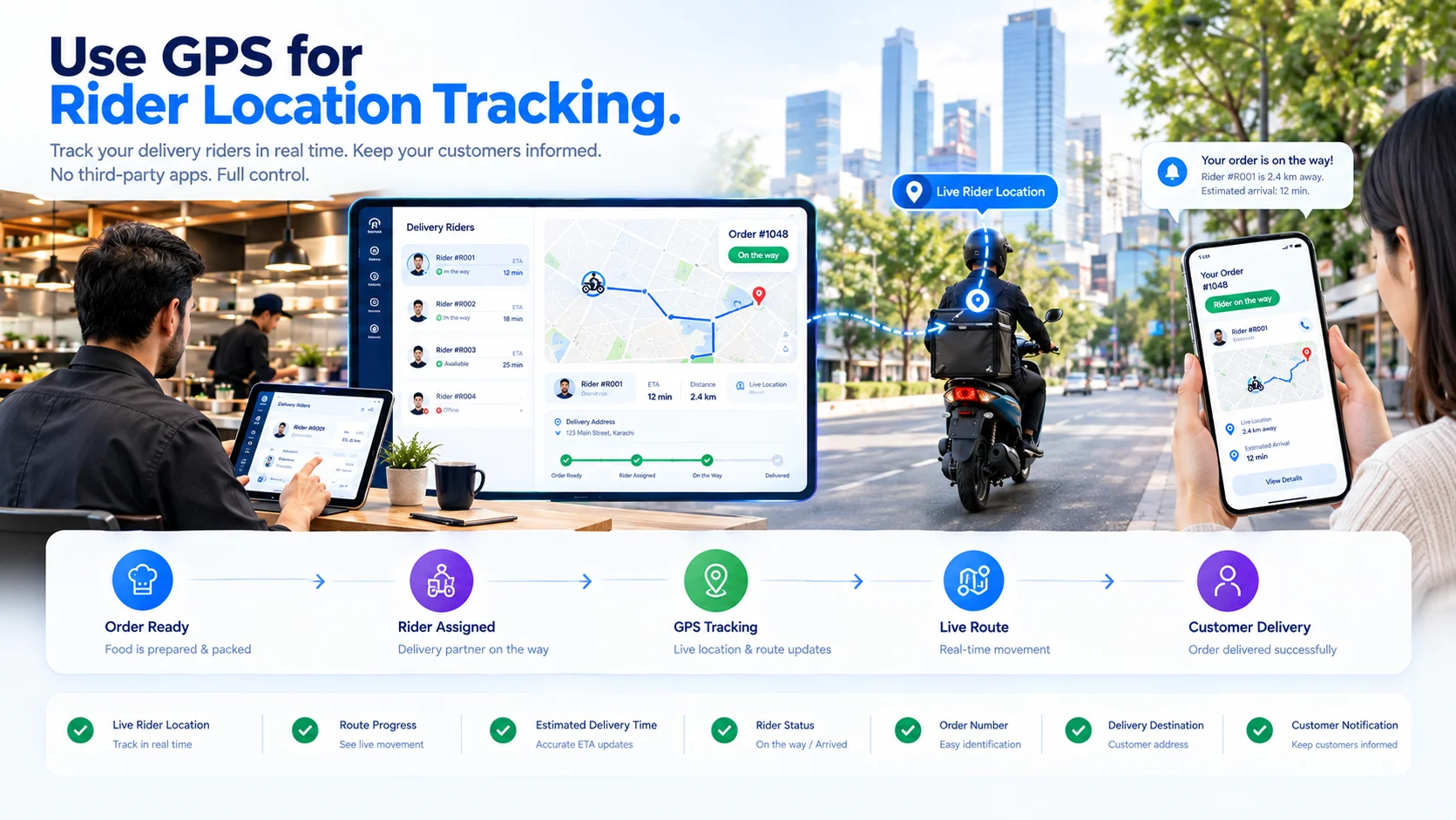
- The rider accepts the assigned delivery.
- The rider’s device requests location permission.
- Location updates are sent while the delivery is active.
- The tracking page displays the rider’s approximate progress.
- Location sharing stops after delivery completion.
- When location collection begins
- How frequently the location is updated
- Which employees can view it
- What the customer can see
- When location history is removed or retained
- What happens when GPS or mobile data is unavailable
Step 10: Calculate Estimated Arrival Times Carefully
- Remaining preparation time
- Packing time
- Rider availability
- Rider distance from the restaurant
- Delivery distance
- Current route
- Traffic data
- Multiple assigned deliveries
- Weather or local disruption
- Estimated preparation time
- Estimated collection time
- Estimated dispatch time
- Estimated delivery time
Step 11: Notify Customers at Important Events
- Order received
- Order accepted
- Collection time confirmed
- Order delayed
- Order ready for collection
- Rider assigned
- Order dispatched
- Delivery completed
- Order cancelled
Step 12: Keep Tracking Connected to Payment Status
- Payment pending
- Paid online
- Pay at collection
- Pay on delivery
- Payment failed
- Refunded
Step 13: Handle Delays and Order Changes
- Preparation delays
- Unavailable items
- Changed collection times
- Address corrections
- Rider reassignment
- Failed delivery attempts
- Customer cancellations
- Restaurant cancellations
- Refunds
Step 14: Protect Customer and Rider Information
- Secure and non-predictable tracking links
- Limited information on public pages
- Expiring tracking access
- Encrypted connections
- Role-based staff permissions
- Restricted rider-location visibility
- Activity records for sensitive changes
- Defined retention periods
- Removal of tracking access after completion
What Customers Can See Without Installing an App
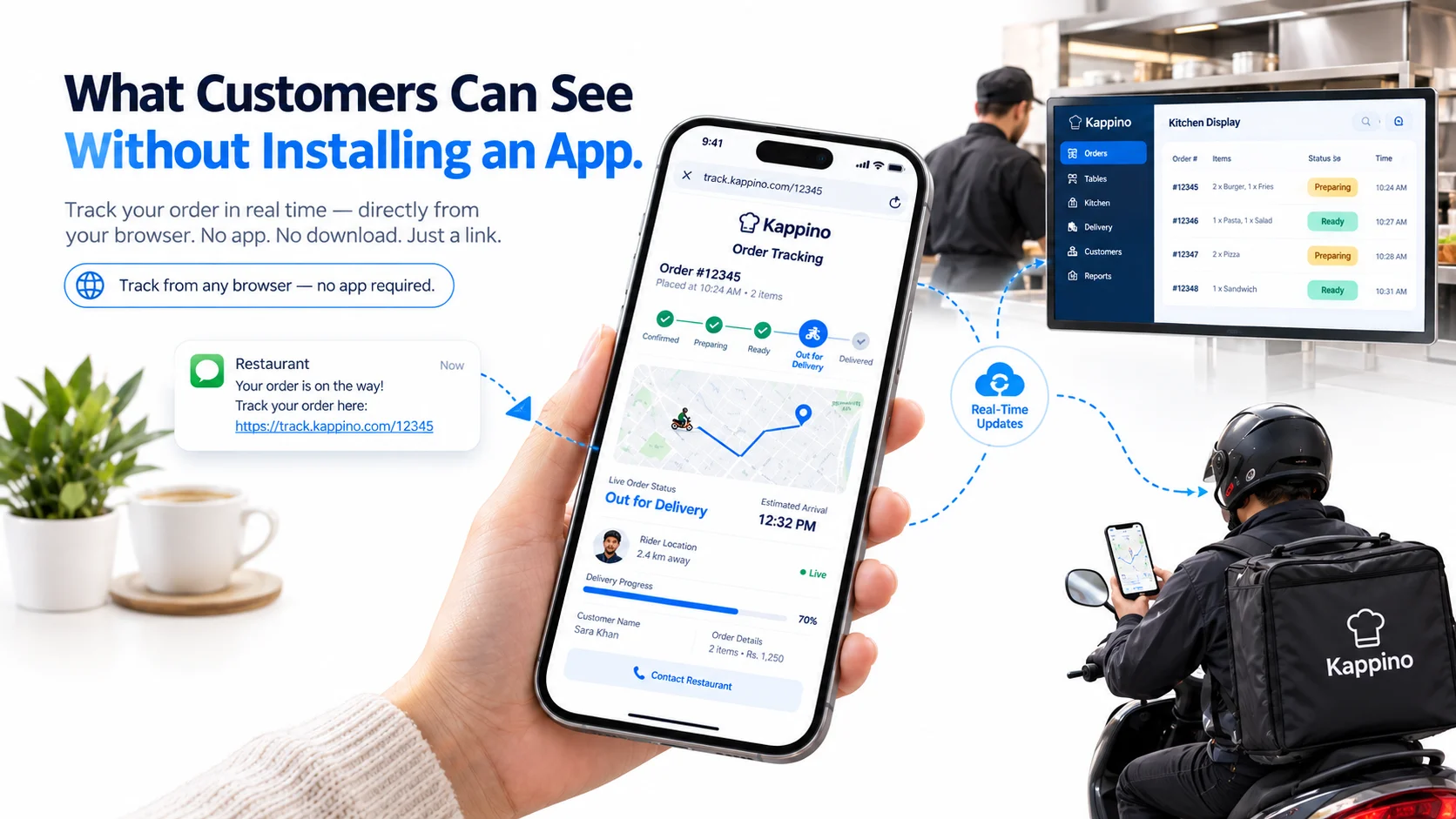
- Order confirmation
- Preparation status
- Estimated readiness
- Collection instructions
- Rider assignment
- Dispatch status
- Approximate rider location
- Estimated arrival
- Delivery confirmation
- Restaurant contact options
What Restaurant Staff Can See
- All active orders
- Order channel
- Order type
- Kitchen station progress
- Preparation delays
- Customer details
- Payment status
- Rider availability
- Rider assignment
- Delivery address
- Location updates
- Failed delivery attempts
- Completed orders
Live Order Tracking vs Order Management
| Order Management | Live Order Tracking |
| Receives and organizes orders | Displays the current order status |
| Routes items to kitchen stations | Shows preparation progress |
| Handles edits and cancellations | Communicates important changes |
| Coordinates payments | Shows whether action is required |
| Assigns riders | Displays dispatch progress |
| Closes the transaction | Confirms collection or delivery |
Benefits of Tracking Direct Restaurant Orders
Fewer Status Enquiries
Clearer Collection Timing
Connected Kitchen and Delivery Updates
Direct Customer Communication
Consistent Order Records
Operational Visibility
Common Live-Tracking Problems
Statuses Are Not Updated
Orders Are Marked Ready Too Early
Tracking Links Expose Too Much Information
Rider Location Continues After Delivery
Estimated Times Never Change
Customers Receive Too Many Messages
The Tracking Page Requires an Account
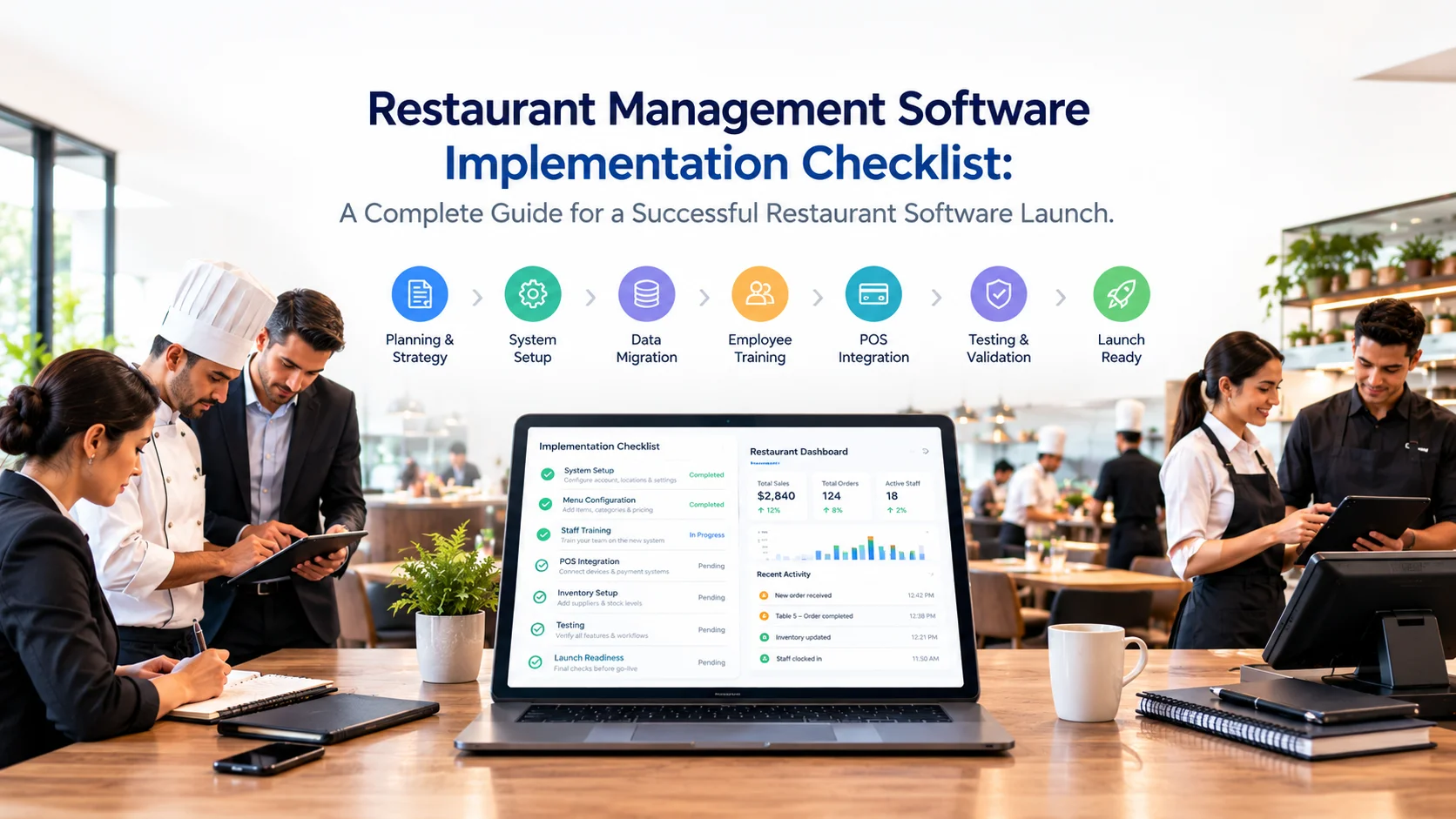
How to Set Up App-Free Order Tracking
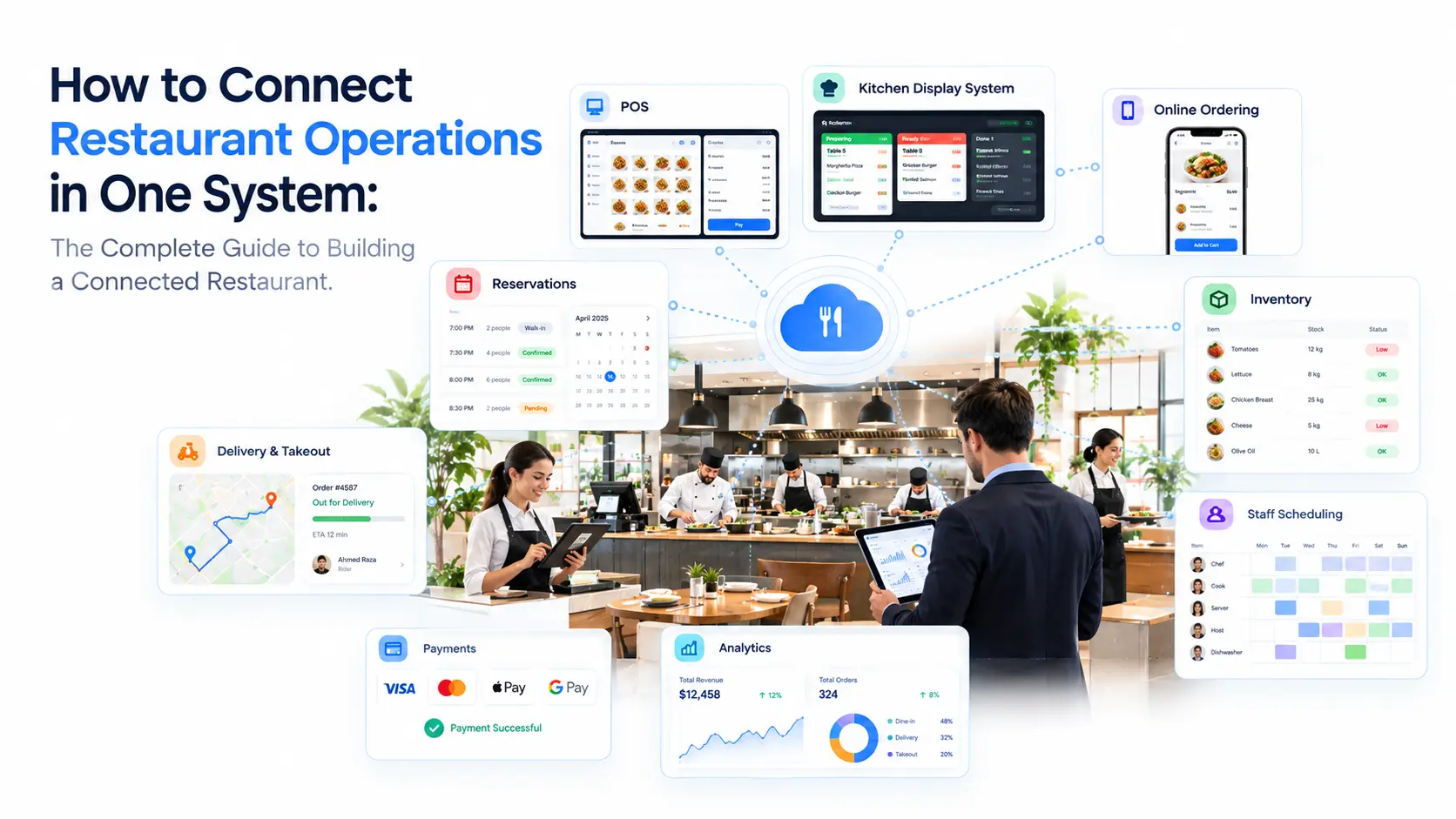
- Direct orders enter one order management system
- Every order receives a unique identifier
- Secure tracking links are generated
- Customer contact details are collected correctly
- Kitchen statuses match real preparation stages
- Takeaway and delivery workflows are separated
- Riders can update delivery progress
- GPS permissions are controlled where location tracking is used
- Customer notifications are configured
- Delays and cancellations update the tracking page
- Payment and fulfilment statuses remain separate
- Personal information is protected
- Completed tracking links expire where appropriate
- Staff have practised complete order scenarios
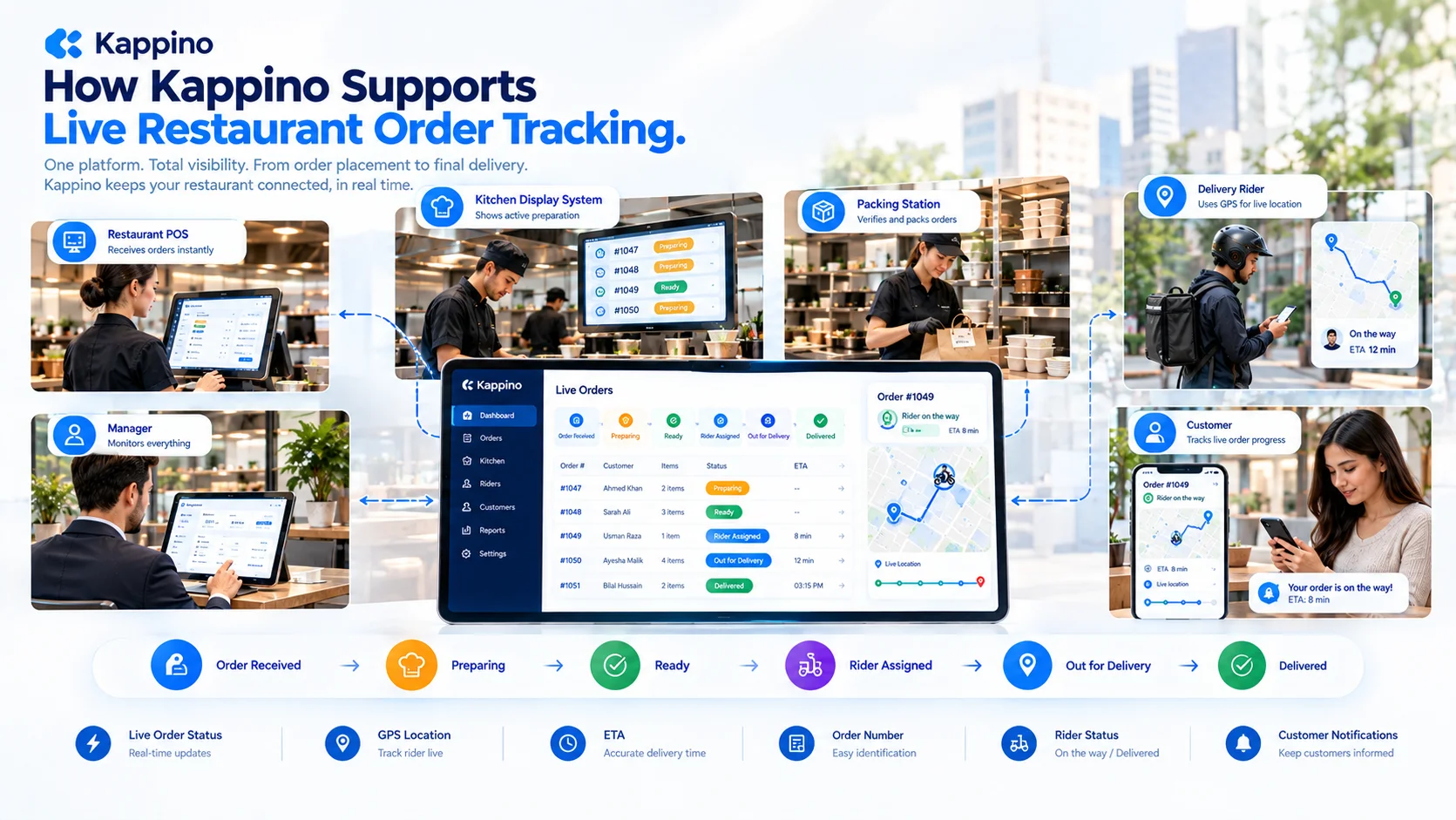
How Kappino Supports Live Restaurant Order Tracking